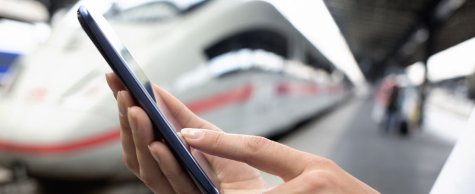
Purchasing tickets online
Easily book your international train ticket online, without any booking fees. Travel with a mobile ticket or a printed ticket from any station in the Netherlands to thousands of destinations across Europe.
Why book online?
- No booking fees
- Fast and easy booking
- Secure payment via iDEAL, credit card or Bancontact
- Travel with a mobile ticket
How it works
- Go to our itinerary planner
- Enter your route, travel date and number of passengers
- Book for yourself or for a group of up to 9 people (for most destinations)
- Find the best connection
- Pay securely online
- Receive your tickets by email and easily load them into the NS International App
Ticket prices and tips for saving money
The price of an international train ticket depends on three factors:
- When you book: the earlier you book, the cheaper the ticket
- Level of flexibility: tickets that can be changed or cancelled are slightly more expensive
- Train occupancy: tickets for popular times sell out faster and tend to be more expensive
We offer a range of fare types. The cheapest tickets are limited and sell out quickly. Once they’re gone, the next fare level becomes available. Our advice: book as early as possible to have the best chance of getting the lowest fare.
Book from your nearest station. It’s often cheaper than booking from the international departure station, and it saves you one extra check-in and check-out.
Our 13 tips for cheap train tickets
Secure payment
All payments are processed through a secure connection with our payment provider. We do not have access to your payment details. You can choose from:
- iDEAL (no extra fees)
- Credit card (Visa, MasterCard, American Express – no extra fees)
- Bancontact (no extra fees)
Good to know
Seat reservation
For TGV, Eurostar and ÖBB Nightjet trains, a seat is automatically reserved when you buy a ticket.
For ICE, it works differently: during booking you can choose to reserve a seat, but this is not mandatory at that moment and can also be arranged later. Please note that during the summer months, seat reservation on ICE trains is compulsory.
If you are travelling with Eurocity Direct or EuroCity, seat reservations are not available and you choose your own seat on board.
Sitting together
If your booking is for more than one person, you'll be sitting next to each other most of the time. Only when the train is very full, this may not be possible. If you would like to check your assigned seats, you can take a look at the seating plan for the train you booked.
Choosing a seat when booking a ticket
When booking a TGV ticket, you can indicate a preference for a window or aisle seat. Please note that this is a preference, not a guarantee. Travelling with ICE? You can choose from more options, but again these are preferences only, not guarantees. For Eurostar, it is not possible to select a seat preference.
If you would like to request a specific seat, you can do so at the NS International desk in the Service Shop or via NS International Customer Service on +31 30 230 0023 (Monday - Friday from 7.00 a.m. till 7 p.m. Saturday - Sunday from 8.30 a.m. till 5 p.m.) This applies to all trains except Eurostar. Please note that it is not possible to reserve a seat facing the direction of travel. A booking fee of € 7.50 per person applies, with a maximum of € 22.50 per booking.
Travelling from a different station
If you have not reserved a seat, you may board the train at a different station from the one shown on your ticket, as long as that station is on your booked route.
If you have reserved a seat, make sure you board at the station you selected when making the reservation, as the Trainmanager may give your seat to someone else after 15 minutes.
Changing tickets
Tickets purchased online or by telephone can be cancelled online. Other bookings can be cancelled by telephone, or, if purchased at a travel agency, via the original outlet. And only if the ticket rate conditions allow for this.
Read more about changing tickets
Travelling with a mobile ticket
When travelling internationally, you can use a mobile ticket and don’t need a paper version. Simply open the gates at the station with the ticket in the app.
How it works:
- Open the confirmation email on your phone and click the link to your mobile ticket
- Your ticket will appear automatically in the app under ‘My bookings’
Please note: During ticket inspection on the train, you must be able to show a valid ID.
Printing tickets
Most train tickets available online can also be printed at home. With a printed ticket, you can open the gates at the station. Homeprint tickets can be purchased with any station in the Netherlands as your departure station.
More information about homeprint tickets
Would you prefer a printed ticket? You can have it printed at the NS International service desk for €5. Check the Service offices opening hours.
Frequently asked questions
What can you do if you get an error message while booking online?
If you receive an error message, first try refreshing the page or trying again later. If that doesn’t work, try using a different browser (for example Chrome, Firefox or Edge).
Does the error message keep appearing? Please contact NS International Customer Service. We are happy to help you.
Can I buy a ticket with a departure point outside the Netherlands?
Which stations does my international train stop at?
You can find this information in the booking module on nsinternational.com or in the NS International app.
On nsinternational.com:
- Enter your trip and click Search.
- Choose your travel date and select a train.
- Click Show route and then Show intermediate stops to view all stations.
In the NS International App:
- Enter your trip and tap Search.
- Choose your date and select a train.
- You will immediately see the full route with all intermediate stops.
I’ve lost my ticket or booking code. What should I do?
- Have you lost your homeprint ticket? No problem — you can easily print it again using the link in the email with your booking confirmation. Or log in to My NSI with your booking code (the 7-letter code from the confirmation email) and the email address you used to book. This way you can quickly retrieve your ticket.
- Has your mobile ticket disappeared? You can reload it in the NS International App. You will also find the link in the email with your booking confirmation.
- Have you lost a paper ticket? Unfortunately, you will need to buy a new ticket.
- Have you lost your booking code? Please contact our Customer Service on +31 30 230 0023. They are available daily from 7:00 am to 11:00 pm and will be happy to help you.
Do I need a valid passport in the train?
Yes, if you travel abroad by train, you must be able to show a valid travel document. This can be a passport or an identity card.
Please note: for travel to the United Kingdom you always need a valid passport. An identity card is not valid. You will also need an Electronic Travel Authorisation (ETA) before you travel. More information can be found on the website of the UK government.
Travelling within the Netherlands? You must also be able to identify yourself with a passport, identity card or driving licence. Everyone aged fourteen and over must be able to provide identification.